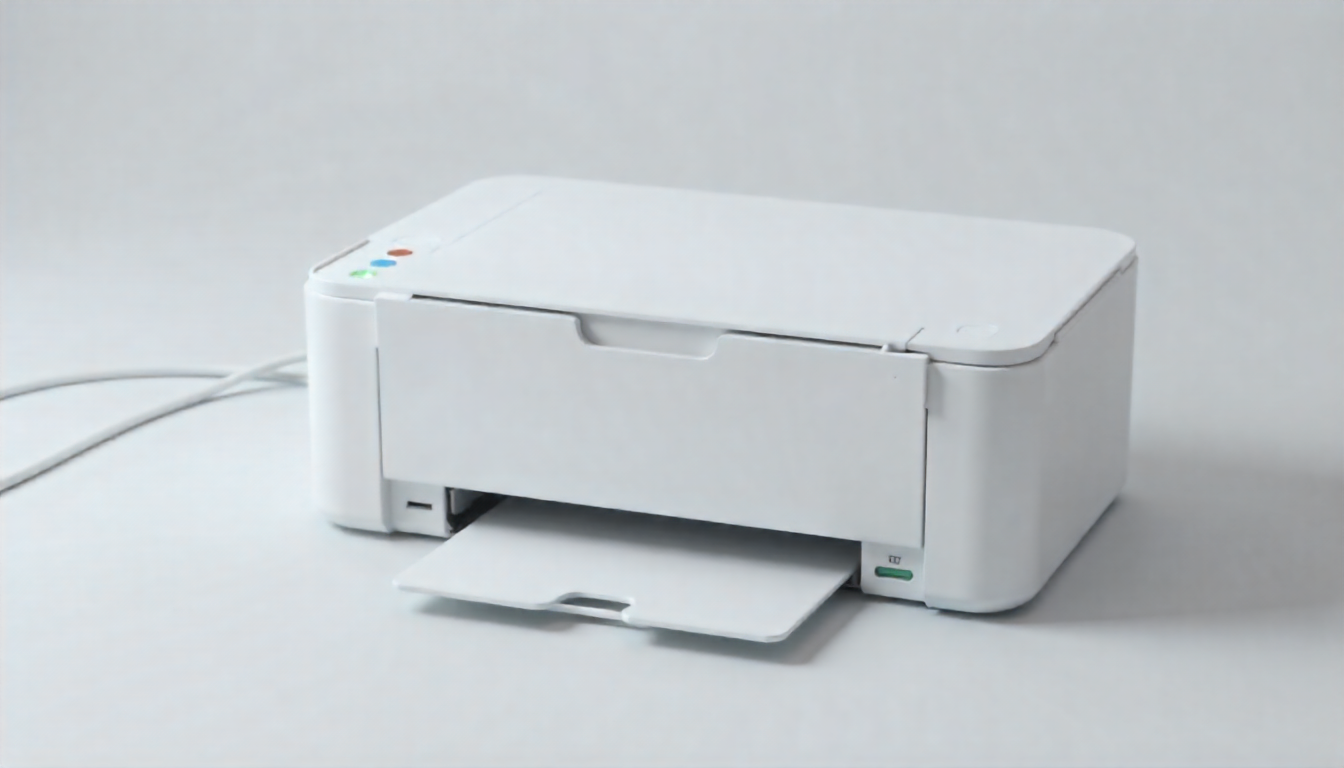
Finding the right printing equipment transforms workplace efficiency and controls operational expenditures. Whether managing a growing enterprise in Riyadh or setting up a home office in Jeddah, understanding current printing technologies ensures you invest wisely in equipment that serves your needs for years ahead.
Comparing Core Printing Technologies
Two fundamental technologies dominate today’s printing landscape, each offering distinct advantages depending on usage patterns. Inkjet systems spray microscopic droplets of liquid ink onto paper, delivering exceptional color reproduction and photographic quality. These devices excel when versatility matters, handling everything from business documents to family photos with equal competence.
Laser technology takes a different approach, using electrically charged toner particles fused onto paper through heat. This process delivers remarkable speed advantages, particularly when printing text-heavy documents. Organizations processing hundreds of pages daily find laser systems reduce waiting times while maintaining consistent output quality. Saudi businesses increasingly recognize laser technology’s reliability for sustained high-volume operations.
Determining Your Actual Printing Requirements
Accurately assessing monthly page volumes prevents both underinvestment and overspending on printer capabilities. Casual home users typically print between twenty and fifty pages monthly, primarily homework assignments, occasional recipes, and travel documents. Such modest requirements rarely justify expensive high-capacity systems.
Small business operations generally process between two hundred and one thousand pages monthly. This volume demands equipment balancing acquisition cost against operational efficiency. Medium enterprises handling two thousand to five thousand pages monthly need robust systems minimizing downtime and maintenance interruptions. Large organizations exceeding ten thousand monthly pages require industrial-grade equipment designed specifically for continuous operation.
Analyzing True Ownership Costs
Purchase price represents merely the beginning of printer expenses. Ongoing consumables costs often exceed initial equipment investment within two years of operation. Understanding these expenses prevents budget surprises and enables accurate total cost calculations.
Standard inkjet cartridges produce approximately two hundred pages before depletion, costing between fifty and one hundred Saudi Riyals depending on brand and capacity. High-yield alternatives extend this to six hundred pages but command premium prices. Color printing significantly increases expenses, with combined cartridge costs reaching three hundred Riyals or more for comprehensive replacements.
Toner cartridges demonstrate superior economics despite higher upfront costs. Standard capacity toner yields two thousand pages minimum, with high-capacity versions reaching eight thousand pages. When comparing hp printers and competitive models, examining cost per page alongside cartridge capacity reveals genuine operational expenses. Businesses printing primarily black text realize per-page costs below three Riyals, substantially lower than inkjet alternatives.
Modern Connectivity Enabling Flexible Workflows
Contemporary printers support diverse connection methods accommodating various workplace configurations. Traditional USB connections provide reliable direct computer connections, though they limit device sharing and require physical proximity. Network connectivity through Ethernet cables enables multiple users accessing shared printers, ideal for established office environments with fixed workstation arrangements.
Wireless printing has become standard across most price points. WiFi connectivity eliminates cable clutter while supporting smartphone and tablet printing. Remote workers particularly benefit from cloud printing capabilities, sending documents to office printers from anywhere with internet access. Mobile printing applications from major manufacturers simplify printing from iOS and Android devices, supporting productive workflows beyond traditional desktop computers.
Security Considerations for Network Printing
Connected printers represent network endpoints requiring security attention comparable to computers and servers. Unsecured printers create vulnerabilities hackers exploit to access sensitive information or infiltrate broader networks. Recent industry surveys indicate sixty-one percent of organizations experienced print-related data breaches, highlighting security importance.
Implementing strong authentication prevents unauthorized access to printing resources. User identification through Active Directory integration ensures only verified personnel send print jobs. Secure print release requires physical presence at devices before document production, preventing confidential materials sitting unattended in output trays. This proves particularly valuable for Saudi organizations handling sensitive government documents, medical records, or financial information.
Encryption protects data transmitting between computers and printers. Without encryption, network traffic interception exposes document contents to unauthorized parties. Modern printers support SSL encryption similar to secure websites, preventing eavesdropping during transmission. Regular firmware updates address newly discovered vulnerabilities, making timely installations critical for maintaining security postures.
Tank-Based Systems Revolutionizing Cost Structures
Refillable ink tank printers fundamentally alter cost equations for high-volume users. Instead of disposable cartridges, these systems employ large reservoirs refilled from economical ink bottles. Users printing six thousand pages annually realize dramatic savings compared to traditional cartridge-based models.
Initial tank printer investments exceed comparable cartridge models by three hundred to six hundred Riyals. However, replacement ink bottles cost substantially less than cartridges while producing far more pages. A complete set of color and black ink bottles typically costs one hundred fifty Riyals while yielding seven thousand pages. This translates to approximately two Riyals per one hundred pages, compared to twenty-five Riyals per one hundred pages with standard cartridges.
Saudi families and small businesses benefit tremendously from tank systems when printing regularly. The substantial capacity eliminates frequent replacement cycles, reducing both expense and inconvenience. For households printing children’s school assignments, work documents, and occasional photos, tank printers provide years of economical service.
Multifunction Devices Consolidating Office Equipment
All-in-one printers integrate printing, scanning, copying, and sometimes faxing within single compact units. This consolidation saves valuable office space while reducing equipment acquisition costs. Rather than purchasing separate devices for each function, organizations invest once in comprehensive solutions.
Scanning capabilities vary significantly between models. Flatbed scanners accommodate bound books, passports, and thick documents but require manual page-by-page processing. Automatic document feeders streamline multi-page scanning and copying, though typically limited to standard paper documents. Higher-end models feature duplex scanning, automatically capturing both document sides without manual intervention.
Copy quality depends partly on scanning resolution and printing capabilities. Basic models reproduce text documents adequately for internal use. Professional environments requiring precise reproductions of graphics, logos, or technical drawings need devices supporting higher resolutions. Some specialized systems match original document quality, essential for architectural firms, engineering companies, and graphic design studios throughout the Kingdom.
Paper Handling Matching Usage Patterns
Input capacity determines how frequently users refill paper supplies. Basic home printers accommodate one hundred to one hundred fifty sheets, requiring frequent attention during heavy use periods. This proves acceptable for occasional printing but frustrates users during tax season, school project deadlines, or business report preparation.
Business-oriented models start at two hundred fifty sheet capacity, sufficient for typical weekly office requirements. Premium devices support five hundred sheets or more through multiple input trays. This capacity proves invaluable when regularly printing various paper types or sizes. Organizations producing both standard correspondence and presentation materials benefit from pre-loaded specialized papers immediately available without manual intervention.
Automatic duplex printing enables double-sided output without manual page flipping. This feature cuts paper consumption in half, delivering both cost savings and environmental benefits. Many Saudi companies prioritizing sustainability mandate duplex printing for routine documents. Employees appreciate eliminating tedious manual processes while organizations reduce supply expenses.
Speed Requirements Varying By Application
Pages per minute ratings indicate maximum printing speeds under ideal conditions. Real-world performance typically runs slower, particularly when printing complex graphics or photographs. Understanding speed requirements prevents frustration while avoiding overpaying for unnecessary capability.
Home users rarely need extreme speeds. Models producing eight to twelve pages per minute handle typical household requirements comfortably. Waiting ninety seconds for a ten-page document rarely disrupts personal activities. However, families with multiple school-age children might appreciate faster speeds during busy weekday mornings.
Small businesses benefit from fifteen to twenty-five pages per minute, reducing workflow bottlenecks when multiple employees need printing access. Medium enterprises processing substantial documentation daily should target thirty to forty pages per minute. This ensures printing delays don’t impede operations during busy periods. Large organizations often deploy multiple printers rather than relying solely on speed, providing redundancy and distributing workload.
Resolution Determining Output Quality
Print resolution measured in dots per inch directly affects document appearance. Standard office documents require approximately six hundred DPI for crisp professional text. This resolution satisfies correspondence, reports, contracts, and similar text-heavy materials common across Saudi businesses.
Graphics and presentations benefit from higher resolutions approaching twelve hundred DPI. This ensures smooth color gradients, sharp logo reproduction, and detailed chart elements. Marketing materials, client presentations, and external communications warrant this enhanced quality, conveying professional polish reflecting organizational standards.
Photographic printing demands maximum resolution, often eighteen hundred DPI or higher. Serious photography enthusiasts and professional studios require specialized photo printers supporting premium paper stocks. These dedicated devices utilize expanded color gamuts beyond standard four-color printing, reproducing subtle tonal variations missed by standard office equipment.
Specialized Applications Requiring Targeted Solutions
Certain industries need equipment beyond general-purpose printers. Architecture and engineering firms regularly produce oversized technical drawings impossible on standard devices. Large-format printers accommodating twenty-four to sixty-inch widths enable accurate blueprint reproduction. These specialized systems command premium prices but prove essential for firms regularly working with detailed plans.
Retail and hospitality businesses need reliable receipt printing. Thermal receipt printers deliver fast, quiet operation without ink or toner requirements. These dedicated devices integrate with point-of-sale systems, producing transaction records, order tickets, and customer receipts. Though limited to black text, their reliability and low operating costs make them indispensable for customer-facing operations throughout Saudi Arabia’s retail sector.
Photography studios and creative professionals require superior color accuracy. Professional photo printers employ six, eight, or even twelve individual ink colors, reproducing subtle color variations impossible with standard four-color systems. These devices support various specialized papers including canvas, fine art media, and archival photo papers, enabling creative flexibility for professional output.
Environmental Factors Affecting Equipment Selection
Saudi Arabia’s hot, arid climate influences printer selection and maintenance. Extreme temperatures affect consumables storage and equipment operation. Toner powder remains stable across wide temperature ranges, making laser printers particularly suitable for Kingdom conditions. Facilities lacking climate control benefit from laser technology’s environmental resilience.
Inkjet systems require more careful environmental management. High temperatures accelerate ink evaporation in cartridges, potentially causing premature drying and printhead clogging. Organizations using inkjet equipment should ensure climate-controlled storage for spare cartridges. Regular printing prevents printhead issues; devices sitting idle for extended periods often develop clogging requiring extensive cleaning cycles.
Energy efficiency matters increasingly as organizations embrace sustainability initiatives. Modern printers incorporate power-saving modes reducing electricity consumption during idle periods. ENERGY STAR certified models meet strict efficiency standards, consuming substantially less power than older equipment. Though individual printer energy costs seem modest, large organizations operating dozens of devices realize meaningful savings through efficient equipment selection.
Maintenance Planning Ensuring Reliable Operation
Preventive maintenance extends equipment lifespan while minimizing unexpected failures. Laser printers typically require less frequent servicing than inkjet models due to simpler mechanical designs and stable consumables. Scheduled maintenance every twelve to eighteen months keeps laser systems operating reliably for five years or longer.
Inkjet equipment needs more attention, particularly printhead maintenance preventing clogs. Regular printing keeps ink flowing, while automatic cleaning cycles remove dried ink accumulations. Users should follow manufacturer recommendations for cleaning frequency, balancing thoroughness against ink consumption during maintenance cycles.
Service availability varies significantly across brands and suppliers. Saudi buyers should verify local authorized service centers before purchasing. Some vendors offer comprehensive maintenance contracts including regular inspections, priority repair service, and genuine replacement parts. These agreements provide peace of mind for organizations depending heavily on continuous printing availability, though they command annual fees typically ranging from ten to fifteen percent of equipment value.
Cloud Integration Supporting Modern Workflows
Cloud printing enables document transmission from any internet-connected location. Remote workers send documents to office printers before arriving, finding materials ready upon workspace arrival. Sales teams traveling between client meetings print presentations at branch offices without file transfers or complex network configurations.
Major manufacturers offer proprietary cloud services integrating seamlessly with their equipment. These platforms store frequently used documents, enable remote printer management, and generate usage reports supporting cost analysis. Organizations with distributed locations particularly benefit from centralized printer fleet management, monitoring supplies levels and scheduling maintenance across multiple sites from single administrative consoles.
Mobile printing applications transform smartphones into portable printing stations. Field service technicians photograph completed work, immediately printing reports for customer signatures. Real estate agents capture property photographs during showings, printing information sheets for prospective buyers on-site. This flexibility improves customer service while eliminating delays between documentation and delivery.
Duty Cycles Matching Equipment to Workload
Manufacturer-specified duty cycles indicate maximum sustainable monthly page volumes. Consistently exceeding these recommendations accelerates wear, increasing failure probability and reducing equipment lifespan. Conservative selections provide reliability margins accommodating occasional peak demands without risking premature failures.
Entry-level home printers typically support five hundred to one thousand pages monthly. These devices suit occasional users printing primarily personal documents. Small office models accommodate three thousand to five thousand pages, appropriate for businesses with moderate documentation requirements. Enterprise-class equipment supports fifteen thousand to fifty thousand pages monthly, designed specifically for high-volume continuous operation.
Organizations should select equipment supporting approximately one hundred fifty percent of typical monthly volumes. This cushion accommodates natural fluctuations without stressing equipment during busier periods. Seasonal businesses experiencing substantial volume variations might install multiple devices, distributing workload and providing backup capacity during peak seasons.
Making Informed Selection Decisions
Successful printer selection begins with thorough needs assessment. Document typical monthly page volumes, noting any seasonal variations. Identify primary document types, determining whether text, graphics, or photographs dominate printing requirements. Consider growth projections, ensuring selected equipment accommodates expanding operations without premature replacement.
Budget analysis must account for total ownership costs beyond acquisition prices. Calculate expected five-year consumables expenses based on projected volumes and manufacturer-published costs per page. Add anticipated maintenance expenses and replacement cartridge or toner investments. Compare these totals across candidate models, revealing genuine long-term costs rather than misleading initial price differences.
Space constraints influence device selection, particularly for compact home offices or crowded retail environments. Measure available locations before shopping, noting height clearances for top-loading scanners and width requirements for output trays. Multifunction devices conserve space but may offer fewer specialized features than dedicated equipment.
The Saudi Arabian printing market continues evolving with advancing technology and growing sophistication. Whether equipping corporate headquarters, educational institutions, medical facilities, or home offices throughout the Kingdom, informed selection ensures devices meeting both immediate requirements and future expansion. Balancing reliability, economy, and appropriate features creates printing solutions supporting productivity while controlling operational expenses across years of dependable service.